
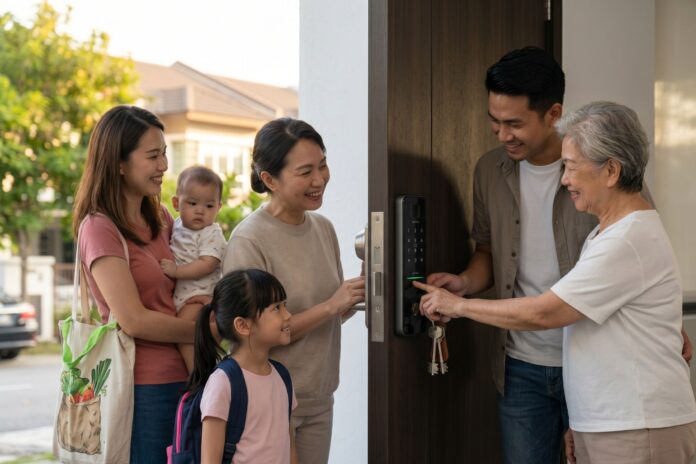
If you talk to any homeowner around Petaling Jaya, you’ll notice a huge shift in how we secure our front doors. The old-school metal padlock and heavy bunch of keys are facing some serious competition these days.
But if you start shopping for an upgrade, the names get confusing fast. You’ll hear people use “digital lock” and “smart lock” like they mean the exact same thing.
They actually don’t.
Let’s clear up the confusion with a straight-up, honest comparison. No brand favoritism here—just the real pros and cons for different lifestyles so you can figure out what actually makes sense for your door.
The Simple Definitions: What’s the Difference?
Before spending your hard-earned money, you need to know exactly what you’re installing:
- Traditional Key Locks: The classic mechanical setup. No battery, no software, no internet. It relies 100% on a physical piece of cut metal to turn the deadbolt.
- Digital Locks (Electronic Locks): This is a keyless upgrade that runs on basic electronics. Instead of a key, you use a PIN code, an RFID card, or your fingerprint to get in. The big detail: True digital locks are completely offline. They don’t have Bluetooth or Wi-Fi. You have to be standing right at the door if you want to change any settings or codes.
- Smart Locks: These take things a step further by adding wireless connectivity like Wi-Fi or Bluetooth. This connects the lock to an app on your smartphone, allowing you to control the door remotely, track who comes in, and link it to your smart home setup.
Pros & Cons: The Real-Life Trade-offs
Every system comes with a direct trade-off between bulletproof reliability and modern convenience.
Traditional Key Locks
- The Good: They are cheap, incredibly durable, and don’t care about power cuts or dead batteries. There’s zero risk of a software glitch, a frozen app, or a digital hacker.
- The Bad: Keys are so easy to misplace, drop, or copy without you knowing. If you lose a key, your only real option to stay safe is to call a locksmith and change the entire physical lock mechanism. Plus, you have absolutely no way to know what time your kids or contractors entered the house.
Standalone Digital Locks
- The Good: You get to completely forget about carrying keys. Walking up to your door and using a quick fingerprint scan or tapping a PIN takes seconds. Because it’s completely offline, you don’t have to worry about anyone remotely hacking your door over the internet.
- The Bad: They run entirely on batteries. If you ignore the warning beeps for weeks and the batteries completely die, you can get locked out—unless your model has a hidden physical key override or an emergency backup battery terminal on the outside.
Connected Smart Locks
- The Good: Insane flexibility. You can create a temporary, time-sensitive passcode for a renovation contractor while you’re sitting at a café miles away. You also get instant notifications on your phone the second your front door opens, showing you exactly whose code was used.
- The Bad: They are the most expensive option by far. They also rely heavily on a stable home Wi-Fi connection for any of the remote features to work. Since they are online, they do carry a slight tech risk of software bugs, server downtime, or digital exploits if your home network passwords aren’t secure.
Which One Actually Fits Your Life?
The best lock doesn’t depend on features; it depends on how your property is being used every day.
The Family Home
- Best Choice: Standalone Digital Lock (with a physical key backup).
- Why: For a home where the same family members enter and leave daily, you don’t really need massive remote-control features. A standalone fingerprint or PIN lock is a game-changer for kids coming back from school or parents carrying heavy groceries. It keeps things simple, works offline, and eliminates app dependencies while completely freeing everyone from carrying keys.
Short-Term Rentals & AirBNB
- Best Choice: Connected Smart Lock.
- Why: If you host guests constantly, traditional keys or manual digital locks are an absolute headache. Guests lose keys, and driving over to manually change a digital lock PIN after every single checkout is exhausting. A Wi-Fi smart lock lets you automate everything. You can remotely set a unique code that only works during the guest’s exact booking window and automatically deletes itself the minute they check out.
Long-Term Rental Properties
- Best Choice: Traditional Lock or a basic, offline Digital Lock.
- Why: For long-term landlords, high-tech smart locks often cause unnecessary drama. Tenants change their Wi-Fi passwords, routers get replaced, apps disconnect, and suddenly you’re getting urgent weekend phone calls because a tenant is locked out due to a network error. A heavy-duty mechanical lock or a simple, offline keypad lock gives your tenant keyless ease without tying you to their home internet stability.
Our Take On It
Upgrading your front door isn’t about buying the flashiest tech on the market. If you just want to stop fumbling for keys in the dark, a straightforward, offline digital lock gives you that freedom with zero tech frustration. But if you constantly manage different visitors, cleaners, or rental guests and need to control your door from afar, making the leap to a fully connected smart lock is worth every cent.